V10G211OC 10-inch QLED Android 14 Car Navigation System, 8-core processor, 6+128GB storage
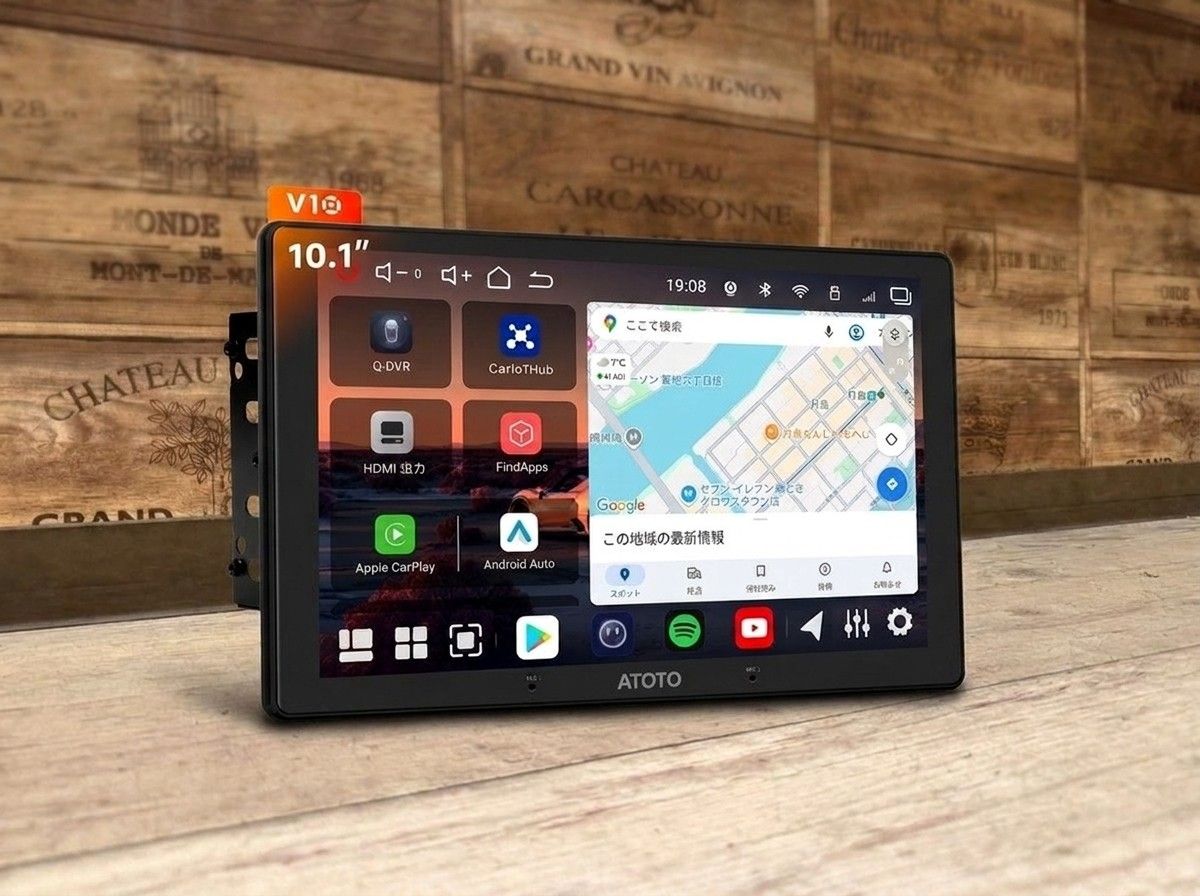
Make everyday drives more comfortable with the clarity of a 10-inch QLED.
【V10G211OC 10-inch QLED Android14 Car Navigation|Bring a Big Screen and Comfort into Your Vehicle】
“Your OEM navigation screen feels too small,” “I want to view maps and apps more clearly,” “I want to refresh the in-car navigation setup.”
If you’re someone like that, we recommend the V10G211OC 10-inch QLED Android14 car navigation.
A big screen makes everyday operation easier
A large 10-inch display is easy to see not only when checking the map, but also when operating various apps and menus. With plenty of space for what’s shown on the screen, it’s easier to confirm on-screen information—and it’s also a great fit for those who want to use in-car functions with a smartphone-like feel.
Of course it helps with daily use like commuting and shopping, but even on long-distance drives, screen readability plays a major role in overall usability. It’s a single unit designed to reduce the small inconveniences you may notice every time you use your navigation, making your time in the car even more comfortable.
The QLED display is also appealing for people who want to prioritize color expression and screen readability. If you want clearer map display—or if you feel your OEM navigation screen size isn’t enough—this model makes it easier to imagine the improvement after replacement.
Broaden how you use it with Android14 and ample memory
Equipped with Android14, an 8-core CPU, 6GB of memory, and 128GB of storage, it’s suited for those who want to enjoy not only navigation, but also a variety of in-car functions all together.
If you want to use the car navigation not just as a device for route guidance, but as the main in-car screen—including music, apps, and more—then performance and capacity are important points. While choosing the functions you want to use, you can tailor your in-car environment to match your style.
However, real-world usability can vary depending on your vehicle’s specifications, the connection method, and the devices you pair it with. It’s important not to decide based on features alone, but to choose based on how you typically use your car.
Don’t just choose the unit—think through the installation method too
Car navigation satisfaction isn’t determined only by the unit’s performance. Usability and the final look can change depending on the mounting position, screen angle, how it connects to the vehicle, and how it’s combined with existing equipment.
Especially with third-party Android car navigation systems, the required parts and confirmation items may differ by vehicle model. It’s important to organize what level of OEM functions you want to keep, what kind of usage you want, and then plan a configuration that’s realistic.
At LogOn, we don’t just install the product and call it done—we guide you while confirming factors such as compatibility with your vehicle, operational usability, and a natural finish around the panel area. If it were me, I’d first confirm the vehicle model and the OEM navigation specifications, then check whether it fits how you actually plan to use it before choosing.
This is for you if...
- You feel your OEM navigation screen size isn’t enough
- You want to view maps and apps on a larger screen
- You want to expand the functions in your car by using an Android car navigation system
- You want to enjoy not only navigation, but also music and various apps
- You want to make sure the appearance and usability are properly set up after installation
- You want to decide while consulting an installation method that suits your vehicle
The V10G211OC is an easy-to-consider model for people who want to bring big-screen readability and the freedom unique to an Android car navigation into their vehicle.
Since compatibility and necessary connection parts vary depending on vehicle model, year, and the OEM system, confirmation is required before installation. We’ll organize a no-stress configuration together based on your vehicle, so please tell us what you’re dissatisfied with about your current navigation and what you want to do after switching. Since it’s something you’ll use every day in the car, let’s move forward in a way that helps you avoid regrets once you start using it.
Main Specifications
【Basic Information】
Product name: V10G211OC 10-inch QLED Android14 car navigation
Type: Car navigation / AV main unit
Display: 10-inch
Display type: QLED
OS: Android14
【Processing Performance & Capacity】
CPU: 8 cores
Memory: 6GB
Storage: 128GB