VREC-DS800DC
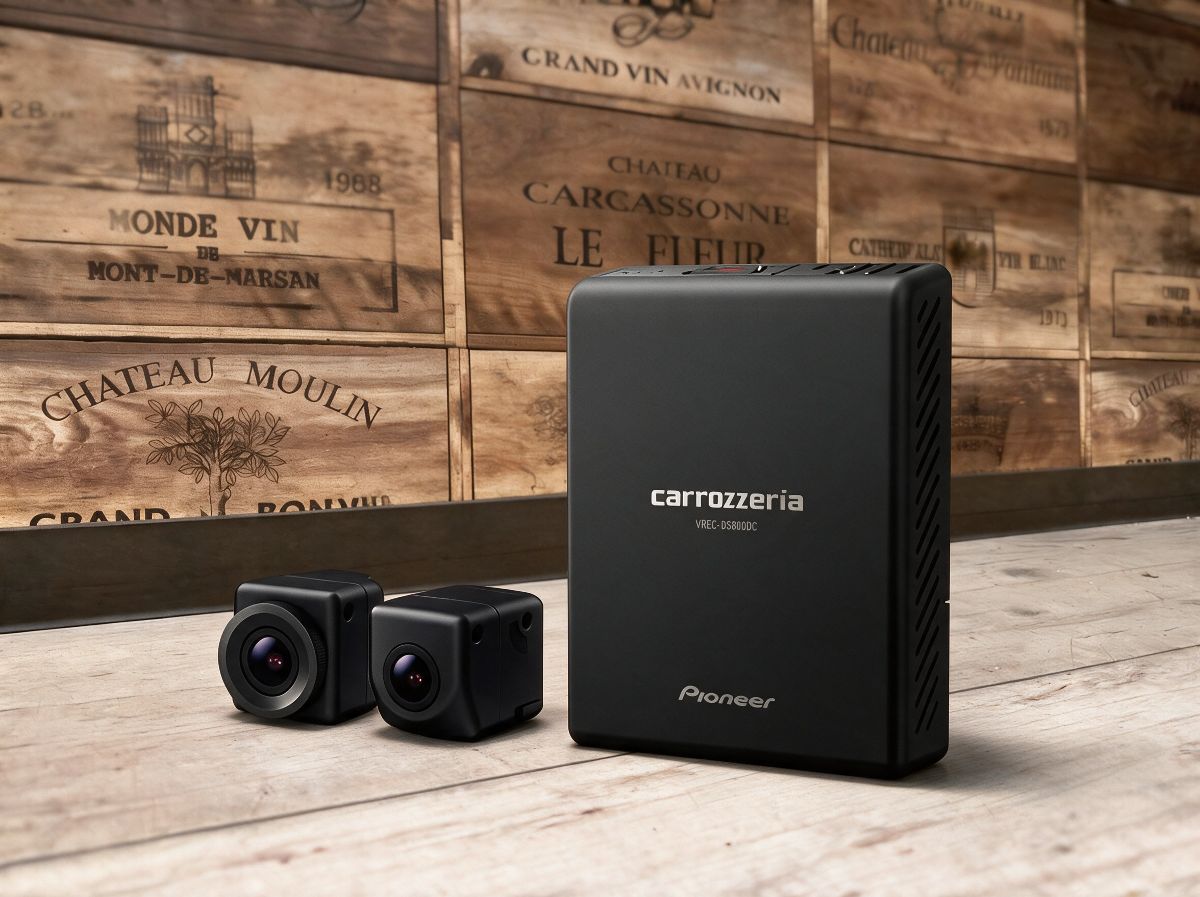
On the Navit’s display, you can instantly check high-quality video footage from ahead and behind.
【VREC-DS800DC|Drive Recorder with Back-and-Forth 2 Cameras, Compatible with Rakunavi】
Checking drive-recorder footage only on a smartphone or a small screen can be a bit troublesome. For those people, VREC-DS800DC, which works in conjunction with Rakunavi, is a great fit.
By connecting to a Rakunavi model that supports “Drive Recorder Link HD” via HDMI, you can operate from Rakunavi’s large screen to capture videos and still images, play back recorded footage, delete data, and more. During recording, you can switch and view the footage from the front camera, rear camera, or both front & rear (PinP). Even when playing back recorded footage, you can switch between the front and rear cameras using on-screen controls.
It also supports situations where the rear camera makes verification easier—such as aggressive driving from behind or rear-end collisions. In addition, you can display the rear-view video on the Rakunavi screen by linking it with the shift lever. We recommend it for anyone who wants to leave behind the front-and-rear situation as clearly as possible, even in recording conditions that can be more challenging, such as at night, in tunnels, or in areas where brightness changes suddenly.
When parked, it supports a “Parking Surveillance Function (Security Mode)” that detects vibrations and automatically records. This is designed to reduce worries during times when you’re not in the vehicle, such as incidents like accidents caused by others while parked or vehicle break-ins. However, actual usability and compatibility status may vary depending on the vehicle, the Rakunavi specifications, and how power is taken, so it’s important to confirm before installation.
At LOGON, we don’t just install the unit—we also check, tailored to your vehicle, things like compatibility with Rakunavi, how easy it is to view the screen, wiring handling, and the power conditions when using parking surveillance. If it were me, I wouldn’t just choose the drive recorder by itself; I would select it by also considering the combination with the Rakunavi I use every day. If you want to clearly record both front and rear footage, or if you want to check recorded video on a large screen, please consult us once along with your vehicle’s navigation specifications.
■ Main Specifications / Specs
【Basic Information】
- Product Name: VREC-DS800DC
- Type: Front-and-Rear 2-Channel Drive Recorder
- Manufacturer: Pioneer
【Rakunavi Compatibility】
- Compatibility with Rakunavi models that support Drive Recorder Link HD: Supported
- Connection: HDMI
- Operations from the Rakunavi screen: Video/still image capture, video playback, data deletion
- Footage during recording: Switchable between Front / Rear / Front & Rear (PinP)
- During playback of recorded footage: Switchable between Front / Rear
- Rear-view display linked to the shift lever: Supported
【Camera / Recording Functions】
- Front Camera: Built-in
- Rear Camera: Built-in
- Parking surveillance function (Security Mode): Supported
- Vibration-detection recording while parked: Supported
The availability of compatibility with Rakunavi and the conditions for using some functions may vary depending on the navigation model/specifications and the condition of the vehicle-side equipment.