AV-HDM01DC
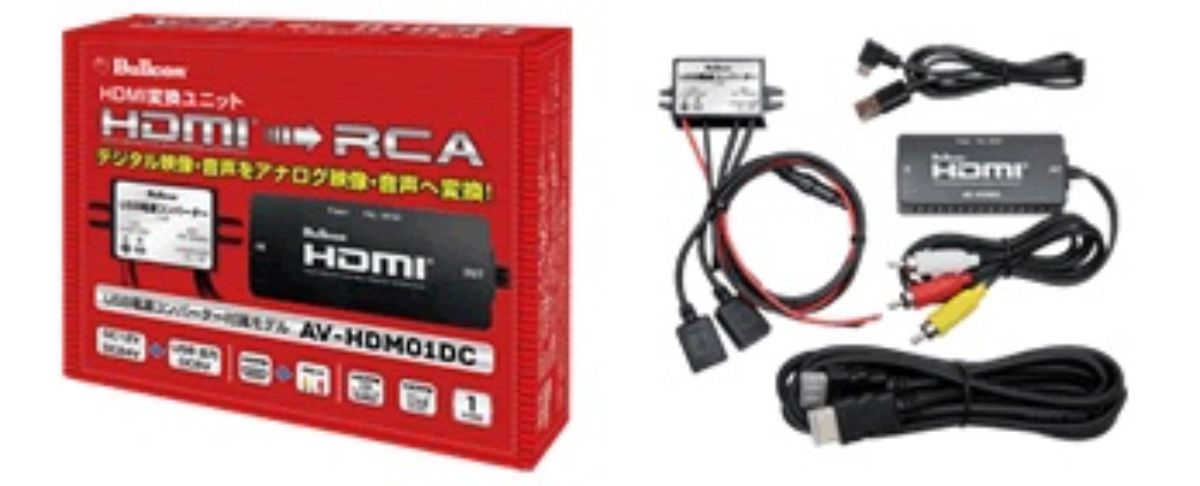
Enjoy HDMI video easily, even on a navigation system with analog input.
[BlueCom AV-HDM01DC] Convert HDMI video to RCA input for a factory navigation system or monitor
You want to use HDMI devices such as a smartphone or Fire TV Stick with a factory navigation system or monitor that only has RCA input. That’s where the BlueCom AV-HDM01DC comes in handy.
It converts HDMI digital video and audio into RCA output, which is easy to use with in-car equipment. Without replacing your factory navigation system, you can display video from compatible HDMI devices on the in-car monitor.
This is a great option for people who want to watch videos like YouTube from a smartphone, or who want to use a Fire TV Stick in their vehicle. Even if you thought that adding video equipment would be difficult because the navigation unit is old, you may be able to make use of your system as long as you have an RCA input.
Conversion unit for using HDMI devices in your car
The AV-HDM01DC is a unit that converts HDMI signals to analog RCA video and audio. Since it supports 1080p Full HD video, when used with compatible devices, it can output video to the in-car monitor.
It also comes with a USB power converter, making it easy to power from the vehicle’s cigarette lighter socket or a USB port. Its compact size makes it easier to find a place to install in the car, and it’s suitable for those who want to expand their in-car video setup while keeping the factory navigation system.
However, actually displaying video depends on factors such as the navigation system’s RCA input and external input function, as well as the specifications of the device you connect. Adding a conversion unit does not guarantee that it will work as-is with every vehicle.
Installation method and connection checks are also important
Even when using the same AV-HDM01DC, depending on the vehicle model and the specifications of the factory navigation system, the connection method, how to obtain power, and how to switch video can differ.
At Logon, we don’t just show you how to install the product by itself—we guide you while checking how it would naturally be used with your current factory navigation system or monitor. Considering things like keeping the wiring as hidden as possible and also allowing for the possibility of adding other equipment later can help reduce dissatisfaction after you start using it.
If it were me, I would first confirm the factory navigation system specifications for the vehicle and the HDMI device you want to use, and then decide on the installation method. Since whether you plan to use it with a smartphone or keep a Fire TV Stick installed permanently will change the most convenient setup.
If you want to enjoy video while making use of your current navigation system, please tell us the vehicle model, navigation model number, and the device you want to use. Let’s think together about a reasonable connection method while also checking the conditions of the actual vehicle.
Main specifications / specs
【Basic information】
- Product name: AV-HDM01DC
- Brand: BlueCom
- Type: HDMI to RCA conversion unit
【Video & audio】
- HDMI input: Yes
- RCA video & audio output: Yes
- Supported resolution: 1080p Full HD
【Power】
- USB power converter: Included
- Power source: Vehicle cigarette lighter socket, USB port, etc.
【Usage】
- Connect video/audio from HDMI output devices to RCA input devices
- Expand video input to a factory navigation system or in-car monitor
*Actual compatibility and connection methods vary depending on the specifications of the vehicle’s factory navigation system and monitor.