USB/HDMI extension cable USB16
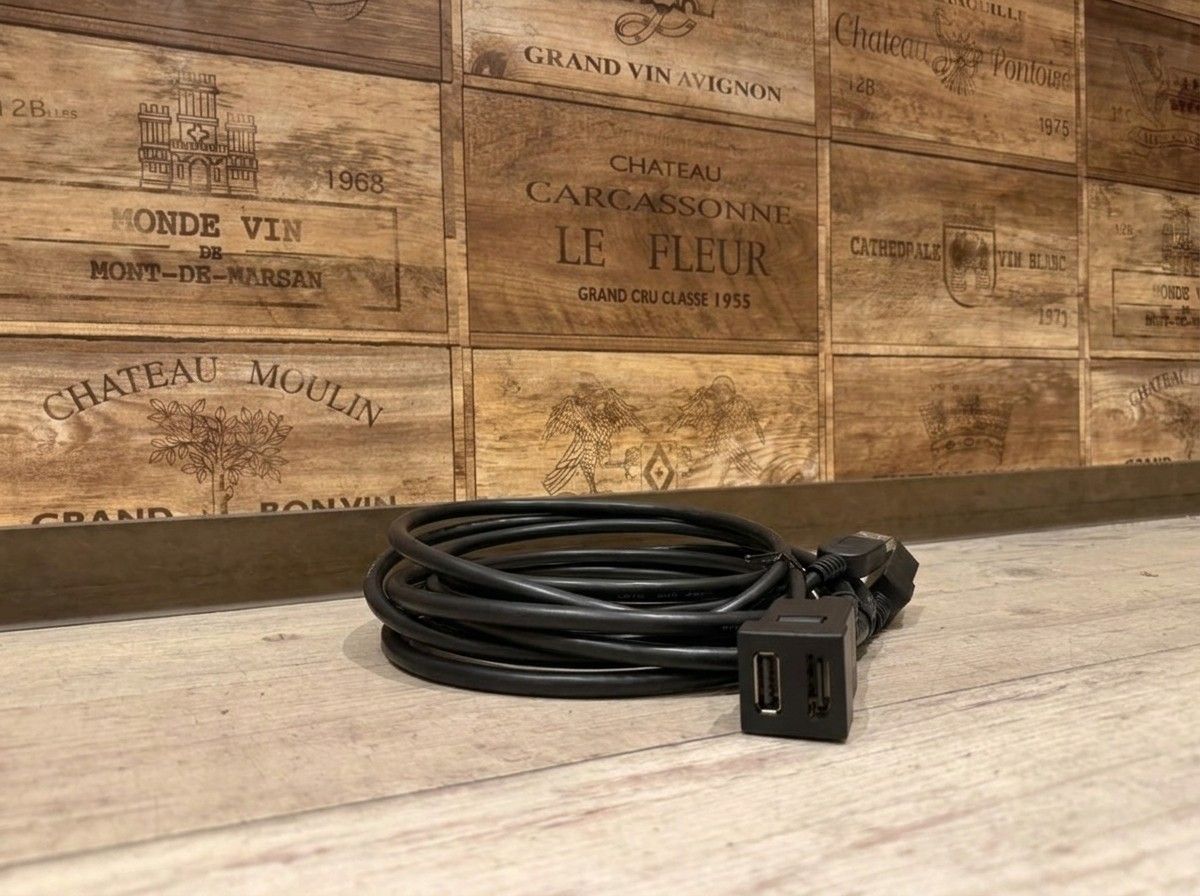
In a genuine style, make USB/HDMI even easier to use.
【USB/HDMI Extension Cable USB16 for Toyota/Daihatsu Vehicles|Smart Connections for OEM Navigation and Display Audio】
When you connect a smartphone or an HDMI device, do you ever feel that the terminals around your OEM navigation unit are inconvenient to use?
Navio Option USB16 is an extension cable kit that lets you neatly add USB Type-C and HDMI terminals to the OEM spare switch hole in Toyota/Daihatsu vehicles. With the terminals now accessible right where you need them, it changes how easy it is to handle when connecting your smartphone or video equipment.
Neatly fits into the OEM switch hole
Designed to fit the OEM spare switch hole of 23mm × 23mm, it aims for a finish that doesn’t disrupt the interior look and helps reduce the “aftermarket” feel.
Because USB Type-C and HDMI are combined into a single panel, you can also reduce the hassle of routing cables around the navigation unit or searching for terminals. It’s ideal for those who often connect a smartphone, and for anyone who wants to connect an HDMI device to their OEM navigation and display audio.
The HDMI terminal is a configuration that extends from a standard Type A (female) to Type E (male). Since the connection method may vary depending on the terminal shape on the navigation side and the specifications of the vehicle, it’s recommended to check the vehicle model and the navigation specifications before purchasing.
Looks matter as much as usability
With this type of part, even if you can install it just by adding terminals, the overall quality can differ depending on how well the panel sits and how the wiring is handled.
At LOGON, we install while checking the vehicle model and the OEM navigation specifications—right down to whether it’s easy to use at the chosen position, whether the cables can pass through smoothly without strain, and whether unusual noises or interference are unlikely after installation.
Even with the same USB/HDMI extension cable, the most user-friendly setup can differ depending on where you typically use your smartphone and how you plan to connect your HDMI devices. If it were me, I wouldn’t just focus on adding the terminals—I’d also consider together where the result will be natural in appearance and easy to reach after installation.
If you’re considering connecting to an OEM navigation unit or display audio, please consult us after confirming the vehicle model, model year, and navigation type. We’ll guide you in a practical, no-stress way while organizing compatibility and connection methods.
■ Main Specifications
【Basic Information】
・Product name:USB/HDMI Extension Cable USB16
・Brand:Navio Option
・Product type:USB Type-C / HDMI Extension Cable Kit
【Terminal Configuration】
・USB terminal:USB Type-C
・HDMI terminal:Type E (male)
・HDMI terminal on the connection side:Standard Type A (female)
【Installation】
・Compatible switch hole:OEM spare switch hole for Toyota/Daihatsu vehicles
・Mounting section size:23mm × 23mm
・Work:Designed for OEM switch hole installation
【Main Uses】
・USB Type-C connection to OEM navigation / display audio
・Connection to HDMI input devices
・Extension of connection terminals for smartphones and video devices
・Adding USB Type-C / HDMI terminals that can be used right at hand
※ Depending on the vehicle model, model year, and specifications of the OEM navigation / display audio, the connection method and the functions available may differ.