HDMI Cable HDC7
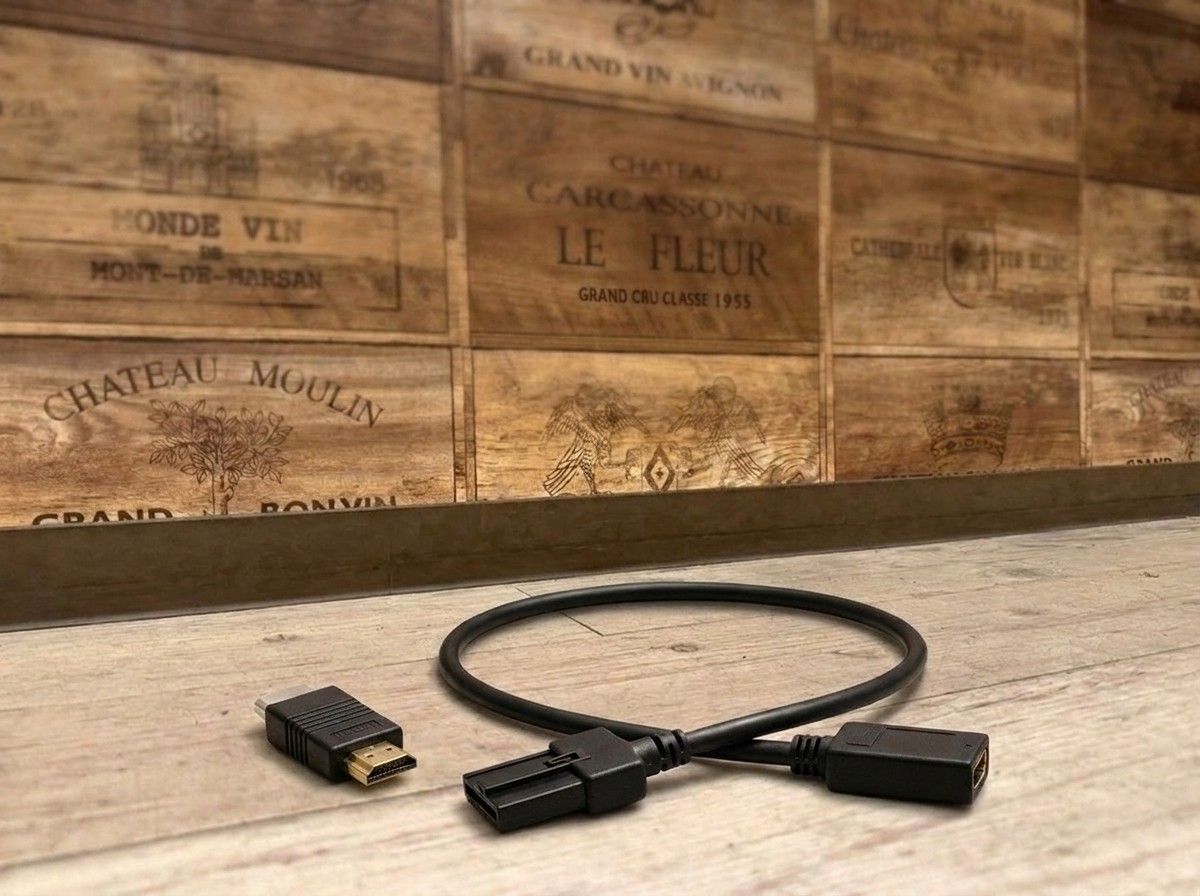
Connect your OEM navigation system with HDMI devices to bring in-car entertainment closer to you.
【HDC7 HDMI Conversion Cable|Enjoy Smartphones and Video Devices with the OEM Navigation】
If you want to connect HDMI devices such as a smartphone or a Fire TV Stick to your OEM display audio or a dealer option navigation system, the recommended choice is Beat-Sonic HDC7.
It converts an automotive HDMI Type E connector to a Type A connector commonly used on typical devices. With a compatible OEM monitor, you can enjoy video and audio from your smartphone, Fire TV Stick, media player, and more inside the car.
It supports connections to Toyota display audio, as well as dealer option navigation systems from Toyota, Nissan, and Honda, including the Mitsubishi DIATONE SOUND NAVI series.
The cable length is 0.5 m—long enough to connect neatly without excess in the car, making it easy to tidy around the connected devices. It’s ideal for those who want to expand how they enjoy video and music during drives while making the most of the functions of the OEM navigation.
However, the required configuration may vary depending on the navigation model and year, as well as whether there is an HDMI input. In some cases, you may be able to use it by simply adding the HDC7, while other cases may require a different input terminal and/or checking settings. For the most reliable result, don’t judge by the product alone—confirm the vehicle and OEM navigation specifications first.
At LOGON, we guide you not only on whether you can connect the devices, but also by considering where the equipment will be placed, how to route the cable, and even the finish so that you don’t compromise the OEM usability. If I were you, I would first check the current navigation screen and model number to confirm whether a simple configuration using the HDC7 is possible.
If you want to “display your smartphone video on the OEM screen” or “use a Fire TV Stick in your car,” please reach out with your vehicle’s navigation information. Let’s organize the connection method that matches how you want to use it—without unnecessarily adding extra parts.
Key Specifications
【Basic Information】
Product name: HDC7
Brand: Beat-Sonic
Type: HDMI conversion cable
【Connectors】
Vehicle side: HDMI Type E connector
Device side: HDMI Type A connector
【Cable Length】
0.5 m
【Compatible Devices / Navigation】
・Toyota display audio
・Toyota dealer option navigation
・Nissan dealer option navigation
・Honda dealer option navigation
・Mitsubishi DIATONE SOUND NAVI series
・HDMI output devices such as smartphones, Fire TV Stick, and media players
※ Depending on the OEM navigation specifications and the vehicle’s equipment, additional parts and/or setting checks may be required.
| Cable type | HDMI conversion/relay cable that converts a dealer-option navigation system's dedicated HDMI connector to a standard Type A connector |
| Connector type | Input: HDMI Type A connector (female) / Output: HDMI Type E connector (male) |
| Included accessory | Includes an HDMI relay adapter "HDA3" (Type A male to Type A male) |
| Compatible models | Toyota and Honda dealer-option navigation units and the Mitsubishi DIATONE SOUND NAVI series, when equipped with HDMI input |
| Cable length | 0.5 m (this model is offered only in this fixed length) |
| Compatible devices | Digital TV tuners, DVD/Blu-ray players, media players, iPhone and MHL-compatible smartphones, etc. |