USB-C/HDMI Built-in USB/HDMI Unit (for Toyota small accessory sockets) for 2013-2019 Alpine Navigation Systems, Cable Set VPC-Y63HU-CMR
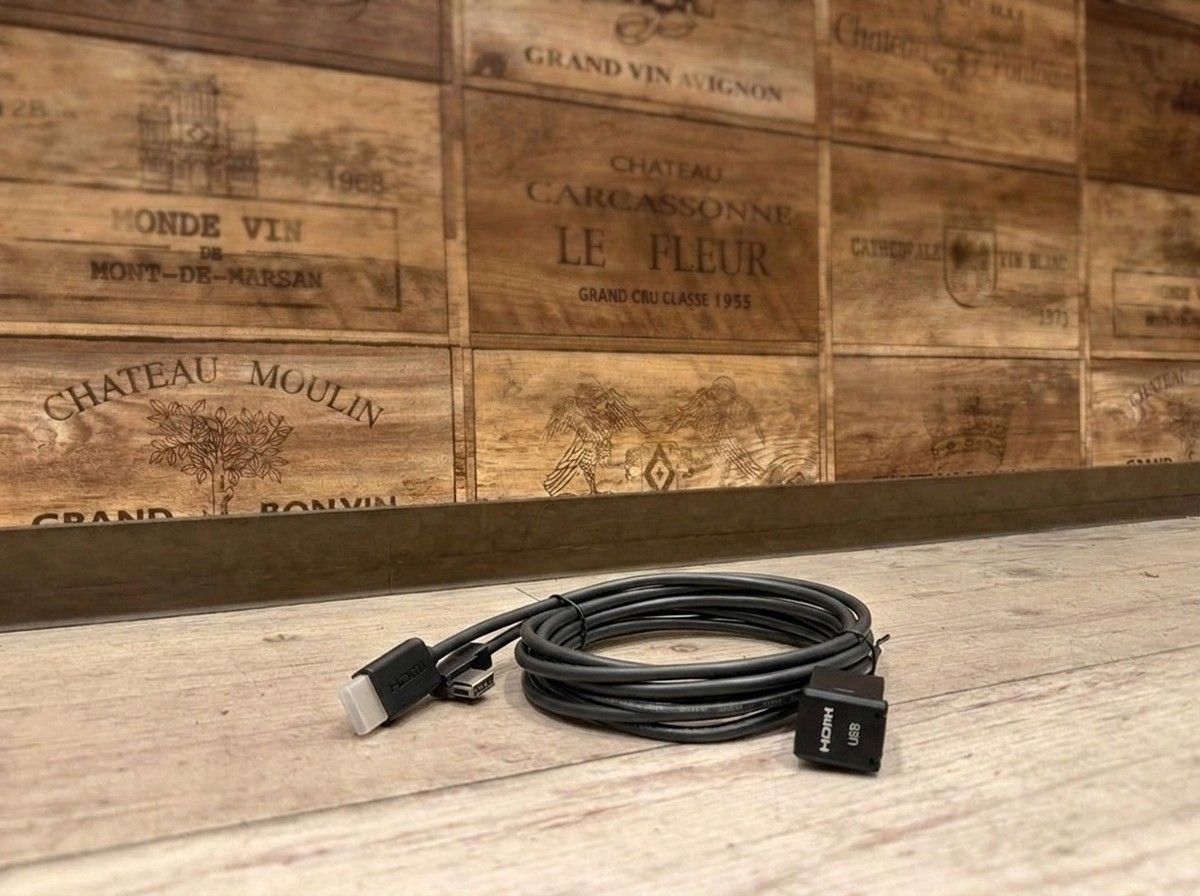
Cleanly built in USB-C and HDMI, with a smart connection to compatible Alpine navigation systems.
【2013–2019 Alpine Car Navigation Dedicated USB-C/HDMI Built-in Unit VPC-Y63HU-CMR】
You want to enjoy your smartphone’s video and music on your Alpine car navigation. But you’d rather not have cables or connection terminals dangling inside the vehicle. This is a built-in USB/HDMI unit that supports USB-C/HDMI connections for people like you.
Designed to fit into the small accessory socket area of Toyota vehicles, it delivers a clean, neat finish with minimal “aftermarket” feel. When you need it, you can connect from an easily reachable location, and when you don’t use it, it’s less likely to disrupt the cabin atmosphere—making it well-suited for those who care about both appearance and ease of use.
View Your Smartphone Video on the Car Navigation’s Large Screen
VPC-Y63HU-CMR is a cable set for connecting a compatible Alpine car navigation (2013–2019 models) and a smartphone equipped with a USB-C port via HDMI.
You can output video from iPhone 15 and later models, as well as from Android devices that support DisplayPort Alt Mode, to your car navigation. It’s also convenient for enjoying video content while parked, or when passengers want to watch video from their smartphones. By combining it with a compatible conversion adapter that has a USB power port, you can charge your smartphone while displaying the video.
USB-C/HDMI conversion adapters are sold separately. Since support for video output varies depending on the smartphone model and specifications, you can’t assume it will work just because the port is USB-C. For Android devices, you must verify support for DisplayPort Alt Mode.
The Key Point: Natural Installation That’s Hard to See Cables
This product is important not only for its connection functions, but also for how it’s housed in the vehicle. Installation that leaves wiring exposed is not only visually distracting—it can also make the cables difficult to handle.
At LOGON, we determine the installation details after confirming the navigation model year and model number, the accessory socket shape on the vehicle side, and any existing connected devices. Even among the same Toyota models, panel shapes and mounting spaces may differ. For that reason, it’s more reliable to proceed while viewing the actual vehicle and the current navigation setup, rather than deciding without confirming compatibility.
If it were me, I’d choose a terminal like this—one you use and touch often—not just based on functionality, but also considering ease of use after installation and the look. We’ll also confirm how to connect with your smartphone and propose a shape that stays as neat as possible and is easy to use for a long time.
Please note that it is not compatible with the NX series of Alpine car navigation units manufactured in 2020–2021. Even within supported model years, confirmation is required depending on the navigation model and vehicle-side specifications. If you tell us the model number of your current Alpine car navigation and your vehicle make/model and model year, we will check—including the installation.
Main Specifications / Specs
【Basic Information】
- Product name: Cable set for built-in USB/HDMI unit with USB-C/HDMI connection, dedicated for Alpine car navigation models made 2013–2019
- Model number: VPC-Y63HU-CMR
- Manufacturer: ALPINE
- Type: Built-in unit for small accessory sockets in Toyota vehicles
【Compatible Devices】
- Compatible car navigation: Alpine car navigation made 2013–2019
- Alpine car navigation NX series made 2020–2021: ×
- iPhone: iPhone 15 and later
- Android: Devices that support DisplayPort Alt Mode
- USB-C/HDMI conversion adapter: Sold separately
- Conversion adapter with USB power port: Recommended
【Included Cables】
- KCU-Y63HU: 0.75 m
- KCU-472C: 1.0 m
- KCU-G61i: 2.0 m
*Usage conditions differ depending on the car navigation, smartphone, conversion adapter, and the vehicle-side specifications. Please confirm compatibility and installation method in advance.
| [Compatibility] | Prius (Dec. 2018~) ZVW・51・55 |
Related Links
| Compatible vehicle model name | Model year | remarks |
|---|---|---|
| TOYOTA PRIUSZVW5#後期 | 2018-12 ~ 2022-12 | |
| TOYOTA LAND CRUISER PRADOGDJ/TRJ15#系後期2 | 2017-09 ~ 2024-04 | |
| TOYOTA RAV4MXAA/AXAH54 | 2019-04 ~ 2025-12 |