DAF9V
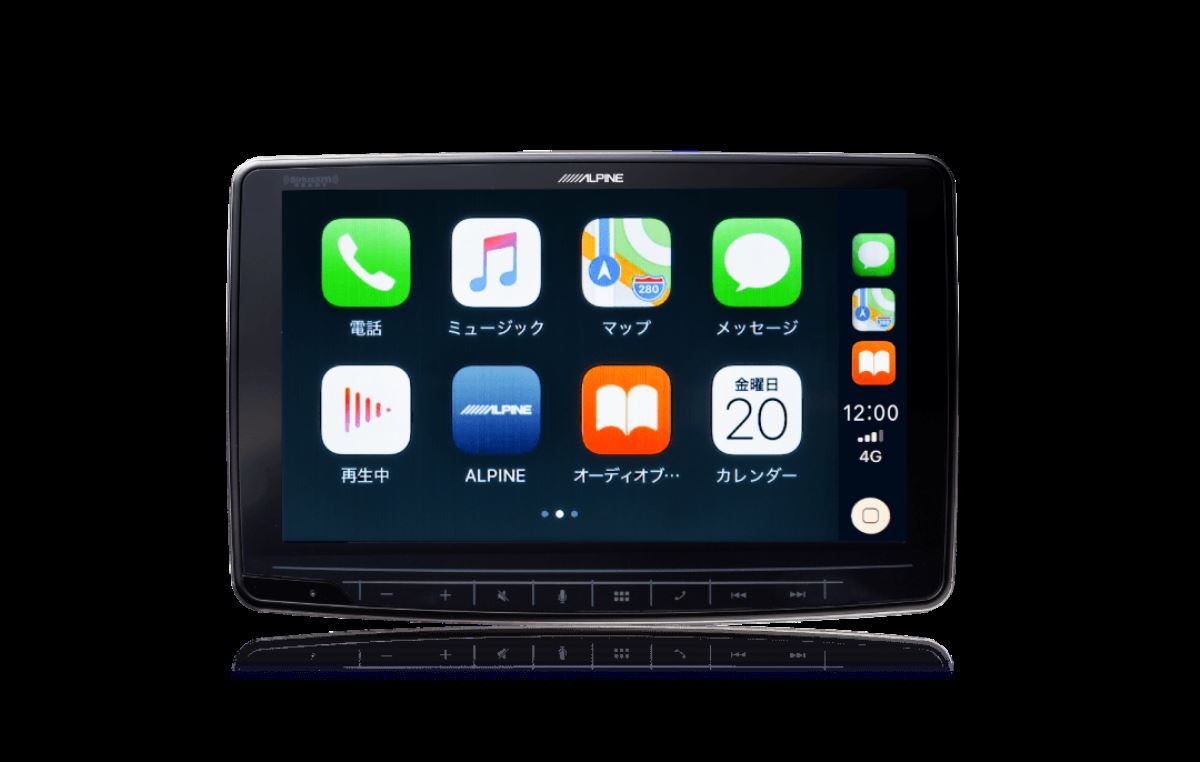
A 9-inch large screen transforms your usual drive—making it easier to see and more fun to enjoy.
【Alpine DAF9V | Enjoying Smartphones, Video, and Music More with a 9-Inch Floating Display Audio】
I want to use my smartphone maps and music more clearly even inside the car.
The standard screen size just feels a bit lacking. That’s where Alpine’s DAF9V comes in.
This floating display audio features a large 9-inch screen and supports Apple CarPlay and Android Auto. By connecting your everyday smartphone, you can operate maps, music, supported apps, and more on the car’s large display.
If you’d rather base everything on your familiar smartphone instead of learning a car navigation system’s unique operations, this is an easy-to-adopt unit.
With a 9-inch floating display, it’s easier to choose a viewable position
The DAF9V uses a floating structure that places a 9-inch monitor on the dashboard.
Because the monitor supports adjustments for front/back, up/down, and angle, you can consider the most comfortable position based on your vehicle’s dashboard shape and how it looks from the driver’s seat. Its appeal is that you can check maps more easily on a large screen and operate music with greater ease.
On the other hand, since it’s a large 9-inch display, you should also check things like interference with air-conditioning vents and switches, your line of sight while driving, and how “pressing” the screen feels.
Not only whether it can be installed, but also whether it will get in the way when you actually use it. Choosing after considering these points will lead to greater satisfaction after installation.
Supports HDMI input and can expand your in-car video setup
Since it includes an HDMI input, you can also create an environment to enjoy video by connecting compatible smartphones or external devices.
This model is also easy to consider if you want to enjoy video inside the car—such as if you frequently take long-distance trips with your family or often have children in the vehicle. It also supports HDMI output, so if the connected devices and content meet the requirements, you can further develop the system by combining it with rear-seat monitors.
However, how you connect to video devices will vary depending on the devices you use, your smartphone, and the conditions on the content side. It’s best to confirm the combinations before purchasing.
Just the main unit isn’t enough—audio tuning after installation matters too
With the DAF9V, you can evolve your setup—from a configuration that takes advantage of the OEM speakers to a system that combines speaker replacement and a subwoofer—based on how you use your car and your preferences.
Even with the same main unit, the cohesiveness of the sound and ease of use will change depending on the vehicle model, the specifications of the OEM audio, the connection method, wiring processing, and the adjustments after installation.
If it were me, I wouldn’t decide only by the main unit’s features. I would also consider:
- What kind of music I usually listen to
- How I want to use my smartphone
- Whether I’ll combine video devices and rear-seat monitors
- Whether I plan to add speakers or a subwoofer in the future
That’s the kind of thinking I’d use to choose.
At LOGON, while confirming your vehicle model and the specifications of your OEM system, we guide you with details that include screen positioning, combinations with peripheral devices, and audio adjustments.
Let’s organize it together while looking at your vehicle—not only whether the DAF9V can be installed, but also whether it can be made easy to use after installation and fit naturally inside the cabin.
The DAF9V is suited for people like these
- People who want to use smartphone maps and music on a large screen
- People who want to use Apple CarPlay or Android Auto
- People looking for an easy-to-read 9-inch display audio
- People who want to create an environment to enjoy video inside the car
- People who want to rethink usability and sound compared with OEM audio
- People who are considering adding speakers or a subwoofer in the future
- People who want to balance screen readability with a clean in-cabin finish
Depending on the vehicle model, installation availability, how well the area around the screen fits, and how it combines with OEM functions will vary. It’s recommended not to judge based on the main unit alone, but to confirm the actual vehicle and your intended usage, and then plan a configuration that is less likely to disappoint.
Main Specifications
【Basic Information】
- Product Name: DAF9V
- Brand: Alpine
- Type: Floating Display Audio
- Screen Size: 9-inch
【Smartphone Integration】
- Apple CarPlay: Supported
- Android Auto: Supported
【Video / External Connections】
- HDMI Input: Yes
- HDMI Output: Yes
- AUX Input: Yes
【Monitor Adjustments】
- Front/Back Adjustment: Supported
- Up/Down Adjustment: Supported
- Angle Adjustment: Supported
※ Installation conditions and required parts may differ depending on vehicle model and year, the specifications of the OEM audio, and interference with surrounding panels, etc. After confirming the actual vehicle, we provide guidance on compatibility and the final finish.